An AI chief of staff is not a chatbot with a fancier name. The distinction matters because most people who think they’re using AI as a productivity tool are actually just using a faster search engine. They type a question, read the answer, close the tab, and then personally execute whatever the answer recommended. The bottleneck hasn’t moved. They’ve just replaced Google with something that writes in complete sentences.
What changed in late 2025 — quietly, without the fanfare that accompanied ChatGPT’s launch — is that AI systems gained the ability to take actions rather than just generate text. Agentic AI doesn’t produce a recipe and hand it to you. It buys the groceries. The practical implication is that the constraint on how much these systems can do for you shifted from AI capability to workflow design. The AI can now execute. The question is whether you’ve built the system that tells it what to execute.
If your time is worth $100 an hour and you spend ten hours a week on email triage, meeting prep, CRM updates, and administrative follow-through, you’re allocating $52,000 a year of your productive capacity to work that a well-configured agent system can handle for roughly $50 a month in tool costs. That arithmetic is not an argument for laziness. It’s an argument for redirecting ten hours a week toward the judgment-intensive work that actually requires you — the decisions, the relationships, the creative problems that don’t have a deterministic answer. That’s where your time is most expensive. It’s rarely where most of it goes.
The Three-Agent Architecture
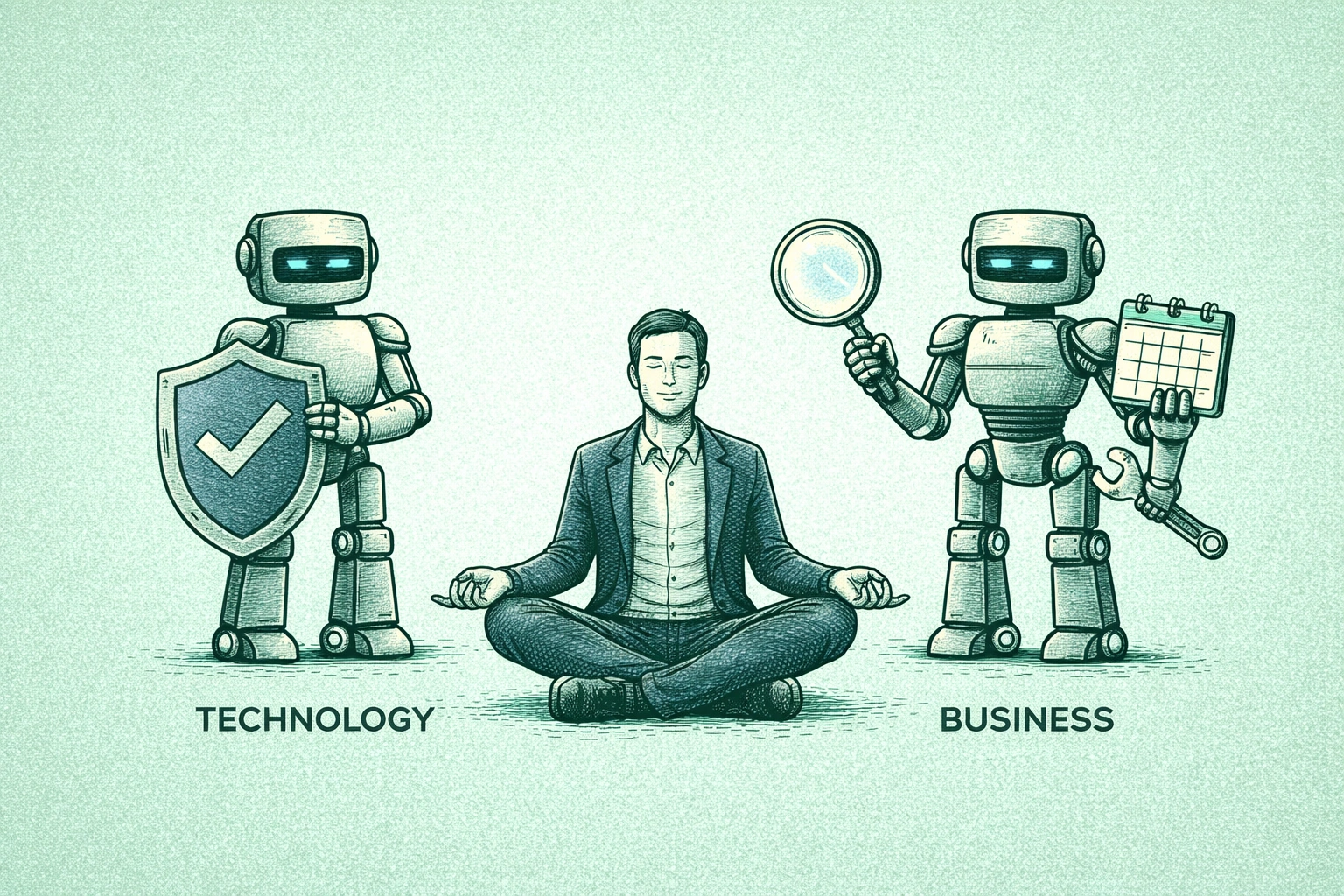
The mistake most people make when first building an AI chief of staff system is trying to create one agent that does everything. A monolithic “God Mode” AI that manages email, monitors competitors, updates your CRM, and schedules your calendar is a recipe for cascading failures and debugging sessions that cost more time than the system saves. The more durable approach is a specialized triad — three agents with distinct functions and minimal overlap, each one reliable enough to run without supervision.
The first agent is the Gatekeeper: it sits between the world and your attention. Every email that arrives in your inbox passes through a classification layer before it reaches you. Newsletters go directly to an archive folder. Cold pitches get labeled low priority and held. Client emails from a defined VIP list trigger a different path: the agent checks your calendar, generates a draft reply with three available time slots, saves it to Gmail Drafts for your one-touch approval, and pings you in Slack that it’s waiting. The inbox you see in the morning is pre-processed. You’re making decisions, not performing triage.
The second agent is the Researcher: it monitors the information landscape you care about continuously, without requiring you to go looking. Configure it to watch five competitor websites — when a pricing page changes, it takes a screenshot and sends it to you. Set it to track specific keywords across industry publications and surface a daily briefing of three relevant items. Point it at a list of key accounts and alert you when any of them appears in news coverage. This is the kind of ambient intelligence that used to require either a full-time analyst or the discipline to manually check sources every day. Neither scaled. This does.
The third agent is the Operator: it handles the execution layer of relationship management. You photograph a business card after a conference meeting. The Operator reads the card, creates a CRM contact, enriches the record with LinkedIn data, and schedules a follow-up task for ten days out. You star a message in Slack flagging an action item. The Operator extracts the task, creates it in your project management tool, and assigns a deadline based on context. A new event appears on your calendar. The Operator scrapes the attendee’s LinkedIn profile, compiles recent company news, creates a meeting prep document, and emails you the link fifteen minutes before the call. These are all things you would do yourself if you had infinite hours. You don’t. The Operator does them instead.
What to Build First (And What to Ignore)
The tools that make this practical for non-engineers are mature enough to be genuinely useful. For beginners, Zapier’s Central platform lets you configure agent behavior in natural language — you describe what you want the bot to do when a trigger fires, and the system translates that into workflow logic. No code required. For more complex branching behavior — where the agent needs to make a decision at a junction rather than follow a single linear path — n8n and Make.com offer visual flowchart builders that handle conditional logic cleanly. Lindy.ai and Personal.ai are building toward the integrated chief of staff experience as a product, though both are still maturing relative to the DIY approach.
The sequence that works: build the Gatekeeper first. Not because it’s the most impressive, but because an empty morning inbox that you didn’t manually process is the fastest way to understand viscerally what this kind of system does. Once that runs reliably for two weeks, add the meeting prep automation from the Operator. Then the CRM auto-fill. Each addition builds on the previous one’s reliability and your own comfort with trusting the system. The people who try to automate everything on day one end up spending more time troubleshooting than they save. The people who build incrementally end up with systems that actually run.
The AI generalist skill set that the labor market is currently paying a premium for is, in practice, exactly this: the ability to design, configure, and maintain agent workflows that solve real business problems. Building your own AI chief of staff isn’t just a productivity upgrade — it’s hands-on experience with the tooling that employers and clients are increasingly willing to pay for. For solopreneurs especially, the agent architecture isn’t a nice-to-have. It’s the infrastructure that makes operating a one-person business at the output level of a team structurally possible rather than theoretically interesting. The gap between people who have this running and people who don’t is not a gap in intelligence or ambition. It’s a gap in whether they decided to spend a weekend building it. The new economics of independent work reward the person who figured out operational leverage before their competition did. The Gatekeeper is waiting. The inbox is full. Start there.
Join The Global Frame
Money, work, and tech — one read every Saturday that actually changes how you think.