Smart Home Privacy Risks in 2026: What Your Devices Are Really Collecting

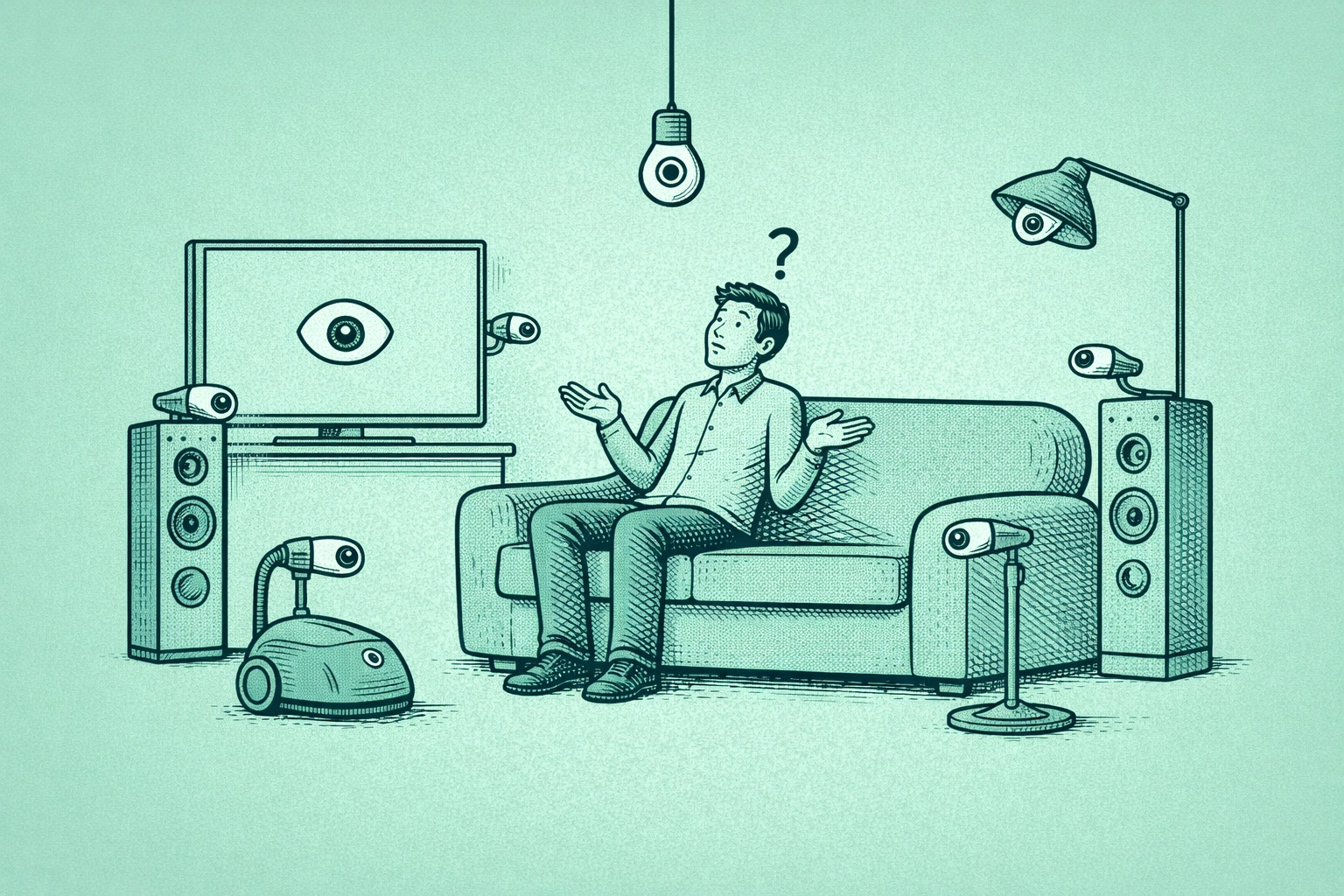
The device sitting on your kitchen counter right now — the one you bought to set timers and play music — collected audio snippets of your home today even though you never said its name. Not because of a bug. Because of how these products were designed.

This is the part of the smart home conversation that never gets said plainly: privacy protection is simply not aligned with the revenue incentives of the companies that make these devices. Convenience is what you paid for. Your behavioral data is what they kept.

In 2026, the average American home contains 17 connected devices according to Parks Associates research. Each one runs on a deal you agreed to without reading — usually a 40-page terms of service granting broad rights to collect, store, analyze, and in many cases sell the data those devices generate. The person in your household least aware of this arrangement is you. The companies running it have known for years exactly what’s happening inside your walls.

These smart home privacy risks are not theoretical — they’ve produced FTC enforcement actions, multimillion-dollar settlements, and documented breaches of some of the most intimate spaces in American homes. This guide breaks down what each category of device is specifically doing with your data, why the defaults are set the way they are, and the exact changes that shift control back to you — without sacrificing the convenience you paid for.


The Business Model You Agreed To

Before getting into specific devices, you need to understand the economic structure underlying all of them.

Smart TVs are sold at or near cost. A 65-inch 4K smart TV that would have cost $2,000 five years ago now retails for $400. That’s not because manufacturing got dramatically cheaper. It’s because Vizio, Samsung, and LG have built advertising and data businesses that subsidize the hardware. The TV is the Trojan horse. The data operation inside your living room is the product.

The same logic applies to smart speakers. Amazon sells Echo devices at near cost because the goal was never to profit on hardware — it was to get a microphone into as many American homes as possible and establish Alexa as the interface through which people discover and buy things. Your voice queries are often more valuable long-term than the $49.99 you spent on the device, because they are a continuous, real-time signal of purchase intent, preferences, and household behavior.

This context matters because it explains why the default settings on every smart home device are configured the way they are. Companies aren’t forgetting to protect your privacy — privacy protection is simply not aligned with their revenue incentives. When you change those defaults, you’re not fixing a problem they overlooked. You’re opting out of the deal they built the whole product around.

This is the same dynamic playing out in your bank, where financial institutions are quietly building ad networks on top of your transaction data. The surveillance economy doesn’t stop at your front door — and increasingly, it starts in your living room.


Smart Home Privacy Risks, Device by Device: A Quick Reference

Before we go deep on each device category, here’s the risk landscape at a glance. Use this table to prioritize what to fix first based on your specific setup.

Join The Global Frame

Money, work, and tech — one read every Saturday that actually changes how you think.

DevicePrimary RiskData CollectedSeverityFix Time
Smart TVACR tracking sold to data brokersViewing habits, IP, inferred demographics🔴 High5 min
Smart SpeakerFalse wake recordings, human reviewVoice audio, queries, household activity🔴 High10 min
Robot VacuumFloor map + visual data uploaded to cloudHome layout, objects, occupants🟠 Medium-High5 min
Doorbell CameraCloud storage, legal access exposureVideo of all visitors, movement patterns🟠 Medium-High10 min
Smart Bulbs/PlugsEntry point for network attacksUsage patterns, device data🟡 Medium15 min
Smart ThermostatBehavioral inference from occupancy dataSchedule, occupancy, temperature preferences🟡 Medium5 min
Smart Router (default)Unpatched firmware, default credentialsAll network traffic🔴 High20 min

The severity ratings reflect both the sensitivity of the data collected and the documented real-world harm associated with each category. Start with whatever you have most of.


What Your Smart TV Knows About You (That Your Therapist Doesn’t)

Every modern smart TV — Samsung, LG, Vizio, Roku, and most Google TV brands — ships with a technology called Automatic Content Recognition, or ACR. Here is exactly what it does: every few seconds, it captures a fingerprint of the pixels on your screen. It doesn’t matter what the source is — cable, streaming, a DVD, a game console. The TV takes that fingerprint, matches it against a proprietary database, and identifies precisely what you’re watching. It then pairs that information with your IP address and sells it to data brokers and advertisers.

The reason this is more invasive than it sounds: your viewing habits are a remarkably accurate map of your psychology. Political news channels reveal your ideology. Health-related content reveals medical concerns you may not have disclosed to your doctor. Late-night binge patterns reveal anxiety or sleep disorders. Weight loss content reveals body image struggles. Watching content in a second language reveals household composition the Census never captured. These smart home privacy risks from TV tracking aren’t incidental — they’re the entire point of the system.

Advertisers and data brokers don’t just use this to sell you cookware. This data flows to insurance underwriters, employers running background analyses, political campaigns, and credit scoring models. The FTC’s guidance on connected device data collection notes that secondary use of consumer data routinely happens without any additional notice beyond the original terms of service users didn’t read at setup.

A Consumer Reports investigation found substantive differences in how ACR is implemented across brands — and notably, how difficult each brand makes it to opt out. Some brands bury the setting under four menu levels. LG’s ACR opt-out is found under “Live Plus,” a name that reveals nothing about what it actually does. Vizio calls it “Viewing Data.” Samsung uses “Viewing Information Services.” None of these names communicate that you’re allowing your TV to monitor and sell your viewing behavior.

If you want to understand more about how your financial and behavioral data gets bundled and sold across industries, our breakdown of how your bank is building an ad business with your money data covers the broader surveillance economy these TV data streams feed into.

Turn ACR off on every TV in your home right now:

Samsung: Settings → Support → Terms & Policy → Viewing Information Services → Off. On older models: Smart Hub → Terms & Policy → Privacy Choices.

LG: Settings → General → Live Plus → Off. LG has also used a third-party ACR provider called Alphonso in older models — check Settings → General → About This TV → User Agreements for additional opt-outs.

Vizio: Settings → System → Reset & Admin → Viewing Data → Off.

Roku TVs: Settings → Privacy → Smart TV Experience → Use Info from TV Inputs → Off.

Google TV (Sony, TCL, Hisense): Google’s platform itself doesn’t use ACR, but your TV’s manufacturer may run a separate ACR layer. Search your TV’s settings for “viewing data,” “content recognition,” or “personalization” and disable everything you find.

While you’re in those menus: turn off microphone access if you don’t use voice commands, disable the advertising ID (a cross-app tracking identifier), and opt out of any targeted advertising settings. Do this before you watch anything else tonight.


The Voice Assistant Problem Nobody Explains Correctly

The public debate about smart speakers has been stuck on the wrong question for years. Everyone asks: Is Alexa always recording me? The more important question is: What is Alexa doing with the recordings it legitimately captures, and how many recordings happen that you never intended to trigger?

Technically, smart speakers process audio locally and only transmit to the cloud after detecting the wake word. What peer-reviewed research shows is far more uncomfortable.

Researchers at Northeastern University’s Mon(IoT)r Lab tested multiple smart speakers and documented a wide range of everyday word combinations that can falsely trigger smart speakers into recording mode without the wake word being spoken. Common phrases and sounds that simply resemble “Alexa” or “Echo” in cadence are enough. The research found that some devices misactivated at a rate of nearly once per hour during normal TV viewing, and that roughly 10% of false wake activations lasted 10 seconds or longer. Each activation sends an audio clip to Amazon’s servers, stored indefinitely unless you’ve configured deletion.

Those clips aren’t just sitting idle. Until the practice was exposed by Bloomberg reporting in 2019, Amazon employed contractors globally who listened to Alexa audio recordings — including clips that were clearly private household conversations — to improve AI accuracy. Users were not notified. Google ran an identical program with Google Assistant recordings, exposed by a Belgian broadcaster the same year. Both companies now offer opt-outs. Almost nobody uses them, because almost nobody knows they exist.

There’s a second layer that connects to a more acute threat. The same voice recordings sitting in Amazon and Google’s servers represent a growing attack surface for AI-powered fraud. Criminals have demonstrated the ability to clone voices from audio samples as short as three seconds — to impersonate family members in emergency scam calls or bypass voice authentication systems. Every clip in a company’s database is a potential training sample, and data breaches at major tech companies are not hypothetical. The FTC has identified voice data as among the most sensitive biometric identifiers specifically because it cannot be changed after compromise, unlike a password.

This risk compounds further when you consider that biometric authentication is becoming a standard layer in smart home security and financial services — meaning the stakes attached to compromised voice samples are only increasing.

Fix your voice assistant settings in the next 10 minutes:

Amazon Alexa: Open the Alexa app → three-line menu → Settings → Alexa Privacy → Manage Your Alexa Data. Set “Choose how long to save recordings” to 3 months, or select “Don’t save recordings” to stop storing them entirely. Turn off “Help Improve Alexa” — this opts you out of the human review program. Then go to Settings → Account Settings → Amazon Sidewalk → Disabled. Sidewalk is a mesh network feature that shares a portion of your home internet bandwidth with nearby Amazon devices owned by strangers. It’s enabled by default and most users have no idea it exists.

Google Home/Nest: Open the Google Home app → Settings → Privacy → Your Data in the Assistant → Audio Recordings → uncheck “Include voice and audio activity.” Set auto-delete to 3 months. Turn off “Improve Google’s audio recognition.”

Apple Siri/HomePod: Go to Settings → Privacy & Security → Analytics & Improvements → Improve Siri & Dictation → Off. To delete your history: Settings → Siri & Search → Siri & Dictation History → Delete. Apple’s on-device processing means fewer recordings leave your device to begin with — HomePod is the more privacy-respecting option in this category.

One practical note: the physical mute button on your smart speaker is a hardware switch, not a software setting. When the indicator light shows red, the microphone circuit is physically broken — the device cannot record regardless of what software is running. Use it when you’re having sensitive conversations.


Your Robot Vacuum Is Drawing a Map for People You’ll Never Meet

The privacy problem with robot vacuums isn’t that they’re listening to you. It’s that they’re mapping you.

LIDAR-equipped robot vacuums build a precise floor plan of your home over their first few runs — room dimensions, doorway locations, furniture placement, and in models with cameras, visual documentation of the interior. That map gets uploaded to the manufacturer’s cloud servers. In the case of iRobot, which Amazon acquired in 2023, that data now sits on Amazon’s infrastructure, held by a company that is simultaneously one of the world’s largest advertisers.

A detailed floor map reveals more than it seems to. It surfaces wealth signals — a home gym, a nursery, high-end appliances, the size of the primary bedroom. It reveals household composition and daily patterns. And it documents exactly where valuables and entry points are located.

This isn’t hypothetical. MIT Technology Review documented in 2022 that images captured by iRobot’s development-model vacuums had been shared with Scale AI contractors and subsequently leaked to Facebook groups. The images included photos of people in private situations inside their homes — including a woman on the toilet — taken as the vacuums mapped those rooms. What the incident demonstrated was that intimate visual data from inside American homes was being processed by gig workers in Venezuela, with no clear understanding from the participants that this would happen.

What you can do: Check your vacuum’s companion app for a local storage or offline map option. Several Roborock and Ecovacs models now allow fully local operation without cloud dependency — the map stays on the device and the app communicates over your local network only. Review the companion app’s permissions: a vacuum app does not need access to your microphone, contacts, or location. Deny everything not directly related to cleaning. Check the manufacturer’s data sharing policy specifically for maps and visual data — this is often disclosed separately from the main privacy policy.


Your Doorbell Camera and the Law Enforcement Access You Didn’t Vote On

Ring doorbells record video of everyone who approaches your home. Amazon stores that footage in the cloud. For several years, Ring maintained a program called Neighbors Active Law Enforcement that allowed police departments to request doorbell footage from Ring users without a warrant or court order. Following a Senate investigation, Amazon ended the warrantless request program in 2023.

Law enforcement can still access Ring footage through a subpoena or emergency request. What changed is that Amazon no longer facilitates those requests without legal process. The architecture hasn’t changed — every moment captured by your doorbell is stored on someone else’s server, subject to legal process you may not have anticipated.

In 2023, the FTC charged Ring and reached a $5.8 million settlement after finding that employees and contractors had accessed customers’ private video feeds — including footage from bedrooms and bathrooms — without authorization, over multiple years. The company had also failed to implement basic security measures that would have prevented that access.

The more mundane threat is far more common: users who never change the default password on their camera. Most home security cameras ship with a factory-set username and password. Websites that compile and publish default credentials for common camera brands exist publicly. A camera running “admin/admin” is not a camera — it’s an open live stream.

The basics that aren’t optional: Change your camera’s default password before mounting it anywhere. Use a password manager to generate a unique, strong password for each camera account and for your router. Enable two-factor authentication on Ring or any camera platform that supports it. In Ring: Settings → Account → Manage Your Data → review and opt out of data sharing programs.

If cloud storage for your doorbell feels unnecessary, local storage alternatives exist. Some Eufy models store footage on a home hub with no mandatory cloud upload. Reolink offers similar options. You lose remote access if your home network is down, but you also eliminate third-party cloud storage and all the legal exposure that comes with it.


The $12 Lightbulb That Can Compromise Your Entire Network

Here’s the smart home privacy risk that most coverage underexplains: it doesn’t matter how strong your banking password is if the device sharing your Wi-Fi network is a discount smart bulb that hasn’t received a firmware update since 2022.

A Surfshark Research Center analysis of 290 apps connected to over 400 IoT smart home devices found that roughly one in ten apps collects user data specifically for tracking purposes, and that a significant number had not updated their data collection practices in over a year — almost certainly behind on security patches as well. Bitdefender’s threat intelligence team documented in December 2025 that smart plugs, smart TVs, and consumer electronics were among the most frequently targeted device categories in global cyberattacks against smart home networks. A hacked smart bulb isn’t an end in itself. It’s a door into everything else on your network — your laptop, your phone, every financial account you’re logged into on those devices.

The NIST Cybersecurity Framework lists network segmentation as a foundational security control. The FTC’s Careful Connections guidance specifically recommends it as a consumer IoT security measure. Most users skip it entirely.

The defense is architectural, and you can implement it today without buying anything.

Network segmentation — the most underused home security tool:

Log into your router’s admin panel — typically 192.168.1.1 or 192.168.0.1 in your browser. Find Guest Network settings (virtually every router made in the last five years supports this). Create a Guest Network with a separate password.

Then follow this rule without exceptions: every IoT device goes on the Guest Network. Smart TVs, speakers, vacuums, cameras, bulbs, thermostats, smart plugs — all of it. Your phones, tablets, and computers stay on your primary network.

If any IoT device is compromised, the attacker is trapped in the Guest Network, isolated from your primary network. They cannot reach your laptop, your banking sessions, or your stored credentials.

While you’re in your router settings: change the router admin password (separate from your Wi-Fi password), enable WPA3 encryption if your router supports it, and turn on automatic firmware updates for the router itself. The router is the most important device on your home network and receives the least attention. If your current router doesn’t support WPA3 or is more than 5 years old, it’s worth considering an upgrade — modern mesh routers from brands like Eero, TP-Link, or Asus offer built-in IoT network segmentation and automatic updates as standard features.

Also, for a broader look at how to manage the digital services and subscriptions that feed into this same data ecosystem, our subscription audit guide walks through how to identify and cut what’s quietly collecting your data in the background.


The Regulatory Cavalry Is Coming — But Don’t Wait for It

The smart home privacy risk landscape is shifting on the regulatory front — slowly.

The FCC’s Cyber Trust Mark program, rolling out through 2026, puts a shield logo with a scannable QR code on smart devices that meet baseline security standards. Scan it at the store and you can see what data the device collects, whether it sells that data, and how long it will receive security updates — disclosed at the point of purchase, not buried in a terms of service.

The EU has moved further with the Cyber Resilience Act, which requires manufacturers to certify device security before products can be sold in European markets, and the Data Act, which gives users ownership rights over the data their machines generate. These EU standards tend to become de facto global standards because manufacturers prefer building one product to two. But meaningful US enforcement is years behind the threat.

Until these regulations have genuine teeth, no agency is actively monitoring what your smart TV’s ACR system is doing with your viewing data at 11pm. You are, in practice, the primary check on these systems. The steps in this guide are what that check looks like.

If you want to go further on the regulatory side, the FTC’s IoT security resources page and the NIST Cybersecurity Framework both provide the actual standards that security researchers and regulators use to evaluate these devices — useful for understanding what “good” actually looks like when a manufacturer claims their product is secure.


Your Complete Smart Home Privacy Checklist for 2026

Work through this in one sitting. Most items take under five minutes.

Smart TV — do this tonight

  • Disable ACR / Viewing Information Services / Live Plus (brand-specific steps above)
  • Turn off microphone access if you don’t use voice commands on the TV
  • Disable the advertising ID (usually under Privacy → Advertising)
  • Opt out of targeted advertising
  • Review third-party app permissions — many streaming apps request location and microphone access they don’t need

Voice assistants

  • Set voice recordings to auto-delete (3 months or “Don’t Save”)
  • Opt out of “Help Improve” / human review programs on Alexa and Google
  • Disable Amazon Sidewalk
  • Use the physical mute button during sensitive conversations
  • Review which third-party Skills or Actions are enabled — disable anything you don’t recognize

Robot vacuum

  • Check whether your model supports local map storage (no cloud upload)
  • Review companion app permissions and deny microphone, contacts, and location access
  • Review the manufacturer’s data sharing policy for maps specifically

Doorbell and security cameras

  • Change the default password on every camera immediately
  • Enable two-factor authentication on Ring or whatever platform you use
  • For Ring: Settings → Account → Manage Your Data → opt out of data sharing programs
  • Evaluate whether local storage meets your needs better than cloud

Home network

  • Create a Guest Network and move every IoT device to it
  • Change the router admin password (separate from your Wi-Fi password)
  • Enable WPA3 encryption if available
  • Enable automatic firmware updates on the router
  • Use a password manager for unique, strong credentials on every device and account

Before buying any new smart device

  • Look for the US Cyber Trust Mark
  • Check how long the manufacturer commits to security updates — less than five years is a red flag for a device you’ll use daily
  • Ask whether the device can function without a cloud connection
  • Apply the “dumb test”: does this device actually need an internet connection to do what you bought it for? A connected refrigerator that texts you when you’re low on milk is also a refrigerator uploading your kitchen activity to a cloud server indefinitely. The notification isn’t worth that trade.

Your smart home is running a continuous data operation, and the companies behind it are exceptionally good at keeping that fact out of the conversation. The devices are designed to feel helpful, personal, ambient — not transactional. But the transaction is happening constantly, in every room you’ve put a connected device in.

None of this requires gutting your setup. The ACR settings change takes two minutes. The Guest Network takes ten. The voice history cleanup takes five. In under an hour, you can meaningfully reduce what your devices collect and share without losing anything you actually use.

Your home is supposed to be the one place that’s still yours. These settings are how you keep it that way.

Want to go further? The surveillance your smart home participates in is one piece of a larger data ecosystem built around your identity. The same data brokers buying your TV viewing data are also holding your name, address, phone number, and browsing history in public databases that anyone can search. Our guide to removing yourself from data broker databases in 2026 covers how to find and delete those records systematically. And if the idea of your bank selling your transaction data to advertisers concerns you — most major US banks now do this — that guide covers what the law actually permits and how to opt out where possible.

Taking digital privacy seriously in 2026 means treating it as a system, not a collection of isolated settings changes. Your app subscriptions, your home network, your financial accounts, and your public data profile are all connected. Securing one while ignoring the others is like locking your front door and leaving the back window open.

Syed

Syed

Hi, I’m Syed. I’ve spent twenty years inside global tech companies—including leadership roles at Amazon and Uber—building teams and watching the old playbooks fall apart in the AI era. The Global Frame is my attempt to write a new one.

I don’t chase trends—I look for the overlooked angles where careers and markets quietly shift. Sometimes that means betting on “boring” infrastructure, other times it means rethinking how we work entirely.

I’m not on social media. I’m offline by choice. I’d rather share stories and frameworks with readers who care enough to dig deeper. If you’re here, you’re one of them.

Leave a Reply

Your email address will not be published. Required fields are marked *